


In the past, creating a podcast is all about recording audio. Yet, more and more podcast videos are being posted on all social media platforms.
A video podcast, also called vodcast, is also a type of podcast that includes video content. Compared with the traditional audio podcast, podcast video offers a more engaging and immersive experience for audiences. Here are facts about the video podcast.
Podcast Video Templates You May Like
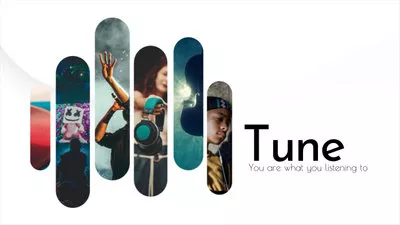
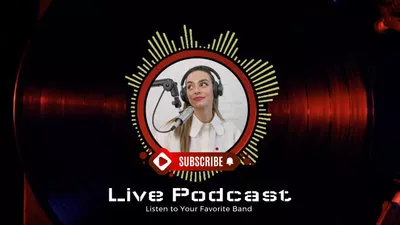
Four Podcast Video Forms You Should Know
Want to create a podcast video now? No hurry, check the video podcast forms and decide which podcast video type to go.
1. Recording Podcast Host and Guest
The Majority of podcast videos take this form, which is setting up cameras to record the podcast host and guest talking. It seems easy, but sometimes you will need more than one camera to switch among different angles. Sometimes video editing skills are required.
Video Podcast Example
2. Remote Recording
You can do podcast videos at home! Try Zoom or other conference meeting software to have conversations, then record them. If necessary, create a video collage to fit in some other videos as background.
Video Podcast Example
3. Podcast Video with Static Images
This is the easiest way to create a podcast video! You just need a picture, and let the audio play while other users listen. However, it could be less engaging with audiences than other podcast video forms.
Video Podcast Example
4. Animation Podcast Video
Animation podcast video is not something new. Compared with other types of podcasts, animation podcast videos are more likely to have a lower bounce rate. However, it is incredibly time-consuming and expensive to create one. You might need to draw some cartoon characters, or use some animation video makers.
Video Podcast Example
How to Generate AI Podcast Video
After exploring different types of podcast videos, you might have noticed a common thread. Each format traditionally requires a fair amount of time, recording equipment, and coordination.
With the rise of AI, creating a podcast video is no longer limited to cameras, studios, or even live recordings. AI generates realistic podcast video clips that help spread ideas. Let's check out how.
Step 1. Generate Visuals
The first step is finding a proper setup and look for your podcast video. Backed up with the most advanced models like OpenAI, Nano Banana Pro, Flux, Kling, FlexClip understands your ideas and interprets them into realistic photos. It is also possible to upload reference images so that AI includes any elements you love.
Access FlexClip's AI Image Generator tool. Enter a prompt describing the podcast scene you want and some reference images, then make basic setups like model selection, image aspect ratio, image style, image count. Then hit Generate.
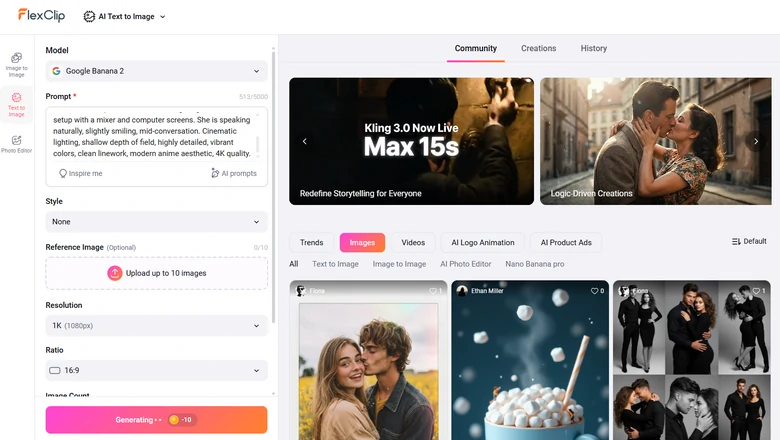
FlexClip Generating Podcast Image
We entered the prompt: An anime-style illustration of a confident young woman hosting a podcast in a professional recording studio. She is seated at a desk with a high-end microphone on a boom arm, wearing stylish headphones. The studio features acoustic foam panels, soft ambient lighting, and a modern setup with a mixer and computer screens. She is speaking naturally, slightly smiling, mid-conversation. Cinematic lighting, shallow depth of field, highly detailed, vibrant colors, clean linework, modern anime aesthetic, 4K quality. Here is what we got.
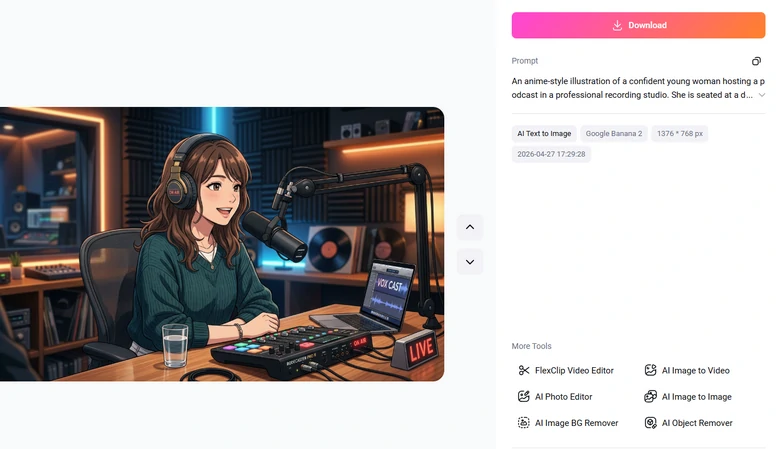
FlexClip Generated Podcast Image Output
Step 2. Animate Podcast Images
Next up, it is time to animate the podcast images. With the launch of Seedance 2.0, you are able to upload images, audios, and even videos as reference to create a podcast video. This saves you from the trouble of manual merging and multiple generations.
Switch to FlexClip's AI Video Generator. Choose the Seedance 2.0 model. Upload images, videos, and even podcast audio as reference, enter a prompt describing the podcast video you want. Please be aware that FlexClip now supports generating 5 to 15 second clip. Select a desired length then hit Generate.
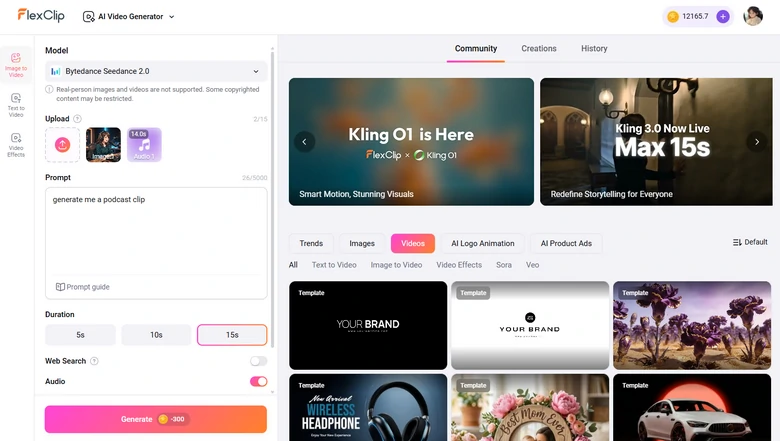
FlexClip Generating Podcast Video Clip
We upload an audio file, an image, and ask FlexClip to create a podcast video clip. This is what we got from FlexClip.
FlexClip Generated AI Podcast Video Clip
Step 3. Merge Clips
Once you've generated all podcast clips, move to FlexClip's editor. Drag and drop them to the timeline, make basic edits like trimming, splitting, adjusting video speed, adding captions, bringing in background music, etc. Thanks to the simple interface, even beginners will not get lost.
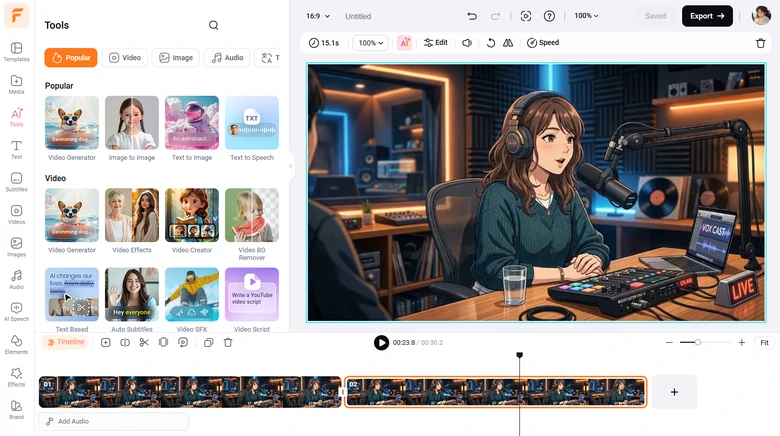
Edit AI Podcast Clips
Step 4. Export & Share
Preview the video. If you are satisfied with the output, directly save it to a local folder or cloud services, or post to social media.
The Bottom Line
By using the best podcast video maker and following the steps above, you can create a video podCast that quickly catches audiences' attention and wins likes. If you find this post helpful, do remember share it.
By the way, do try FlexClip's other AI tools like AI text-to-image for creating excellent PodCast thumbnails. Check the following video for more details.
FlexClip AI Overview




FlexClip AI Video Maker
Reach professional-quality videos faster with easy editing tools, templates, and smart AI.
Start Now for Free
Hot & Trending
-

Best Ways to Find Music in YouTube Videos
-

Instagram Story Video Quality Bad After Upload? Fix It!
-

How to Repost Video on TikTok & How to Remove TikTok Repost
-

Improve Video Quality Online: 3 AI Video Quality Enhancers You Can't Miss
-

4K Convert to HD 1080p without Watermark: Best 4k Video Converters
-

Best 8 Free Video Editors - No Download Required
-

Top 13 Birthday Video Makers with Music and Effects Free
-

How to Search Filters on TikTok & Use a Filter You See - TikTok Filter Guide




